
Features
Features, Plans and Pricing
Free Plan
With the Free plan, you can configure multiple bars but only activate one bar at a time. This plan is perfect for testing the app’s basic functionality and creating a simple free shipping message for your store.
Premium Plan Features
The Premium plan unlocks additional tools and customization options to help you boost conversions and target different customer segments more effectively.
Here’s what you get with the Premium plan:
Multiple Active Bars
Run several bars at once and target them by page, country, or device (desktop and mobile).
Shopify Markets Targeting
Display specific bars for different Shopify Markets, so customers in each market see a localized message.
Customer Targeting
Target specific customer groups using tags or lifetime spent values to deliver personalized free shipping messages.
Progress Bar
Add a visual progress indicator that shows customers how close they are to qualifying for free shipping.
Free Shipping Exceptions
Exclude certain products from free shipping or make them always require a shipping fee.
Auto currency conversion of money amount on bar
Automatically match your store’s display currency to the shopper’s location or Shopify Market, so goals and discounts appear in the correct currency.
Bar Background Image
Use a holiday-themed bar background image to make your whole site more relevant to the shopping season.
Upload your own background image
Upload a custom background image to match your brand or campaign.
Bar Performance Tracking
Track total impressions and conversions to measure how effectively your bar is driving engagement.
Auto Scheduling
Create and schedule multiple bars in advance, letting them automatically activate or deactivate based on your campaign timeline.
Free vs. Premium Comparison
| Feature | Free Plan | Premium Plan |
|---|---|---|
| Active Bars | 1 | Unlimited |
| Shopify Markets Targeting | ❌ | ✅ |
| Customer Targeting | ❌ | ✅ |
| Progress Bar | ❌ | ✅ (Advanced customization) |
| Free Shipping Exceptions | ❌ | ✅ |
| Auto-Currency Conversion | ❌ | ✅ |
| Bar Background Image | ❌ | ✅ (Custom & holiday-themed) |
| Bar Performance Tracking | ❌ | ✅ (Impressions & Conversions) |
| Auto Scheduling | ❌ | ✅ |
How to upgrade my plan?
To upgrade your plan:
- Open the Free Shipping Bar app from your Shopify admin.
- Click the Upgrade button at the top right corner.
- Select either Monthly or Annual billing.
- Confirm your subscription to activate the Premium features.
Choosing the Annual billing will let you save 18% off. Your app will upgrade immediately after confirmation.
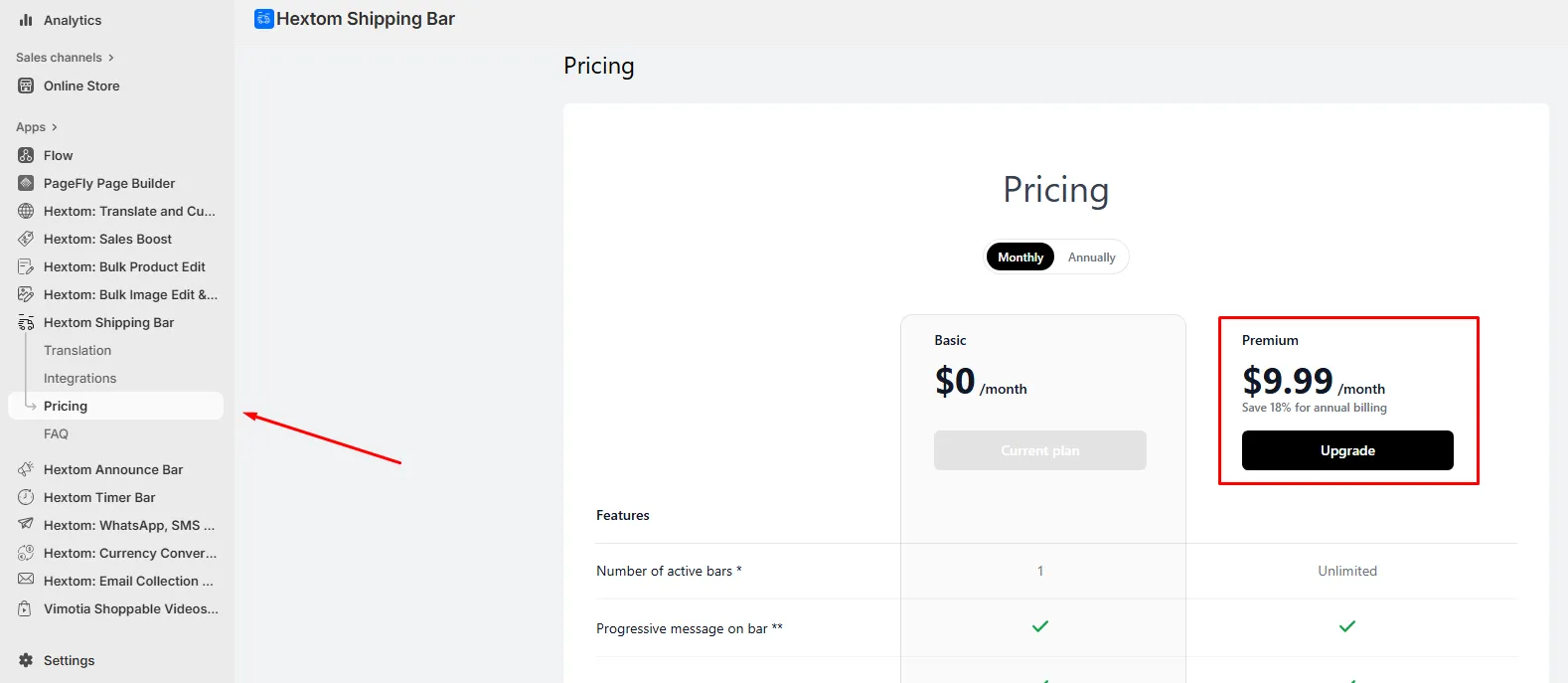
For more details on how Shopify app charges work, visit Shopify’s billing and app charges guide
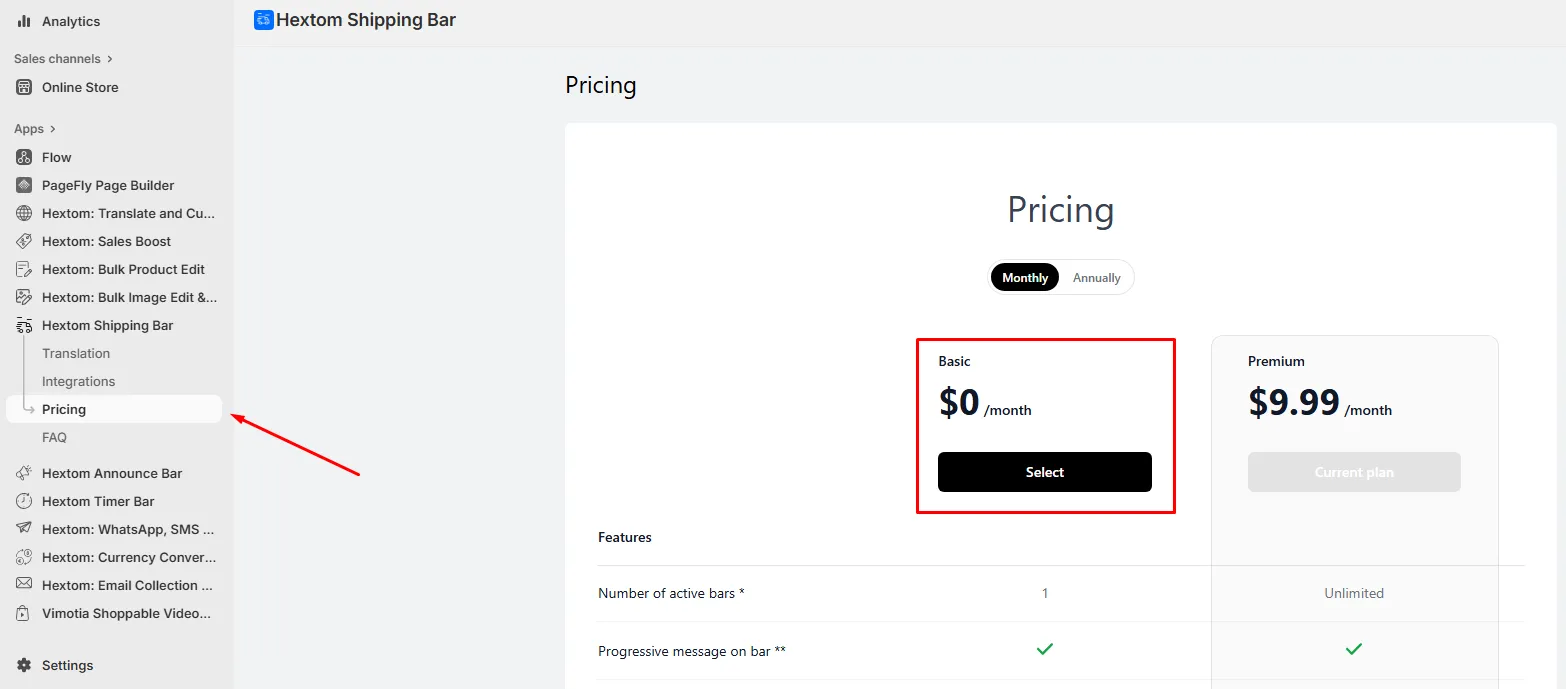
How to cancel my subscription?
You can cancel your subscription by going to the Pricing page and downgrading to the free plan, or by uninstalling the app. This will cancel your subscription to our app.
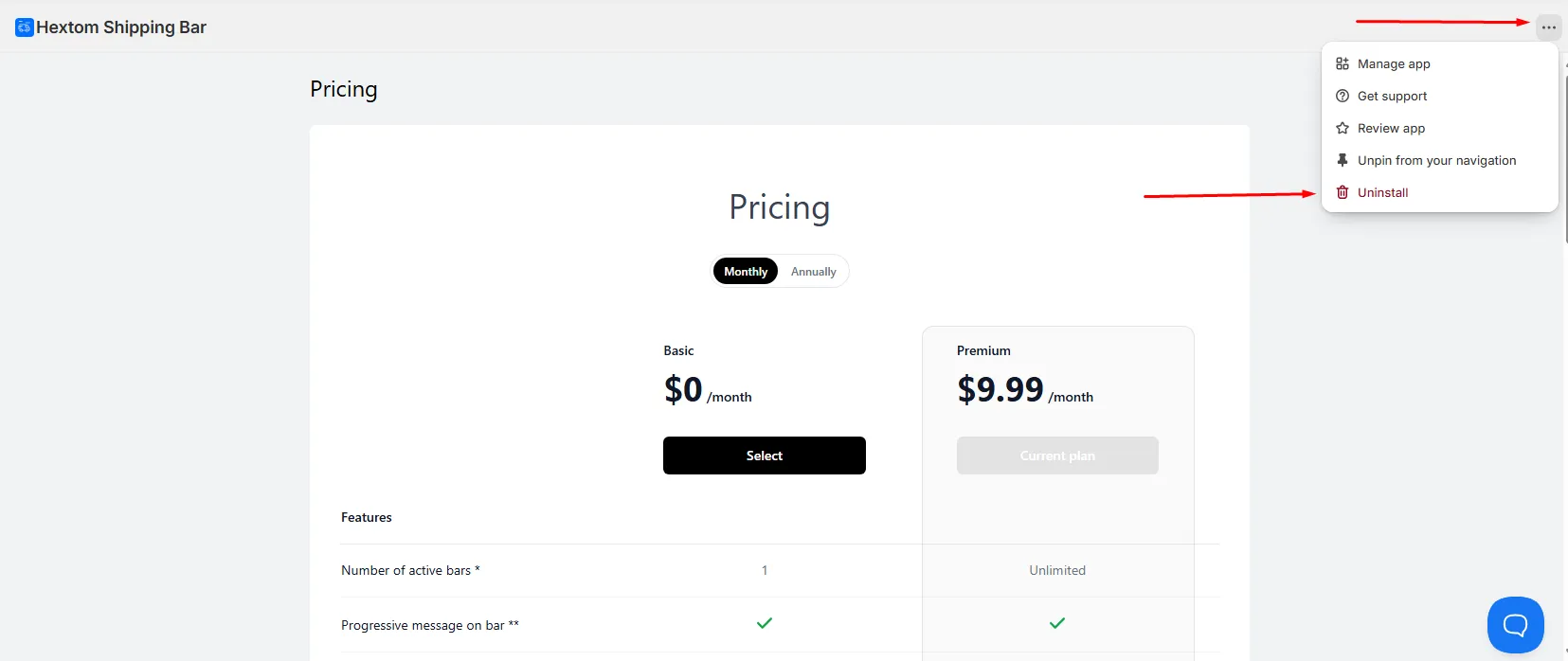
How to uninstall the app?
To uninstall the app, simply click the three horizontal dots located at the top right corner of the screen and click “Uninstall”. Uninstalling the app automatically cancels your subscription, so no further charges will apply.
If you have any questions about plans, billing, or features, feel free to contact us at help@hextom.com. We’re happy to help!