Features
Currency Configuration
Setting the Free Shipping Bar Currency
By default, the Free Shipping Bar will display the currency that is set in the bar configuration. Configuration options appear in two locations:
- Adjacent to the goal amount
- Within the dedicated currency configuration section
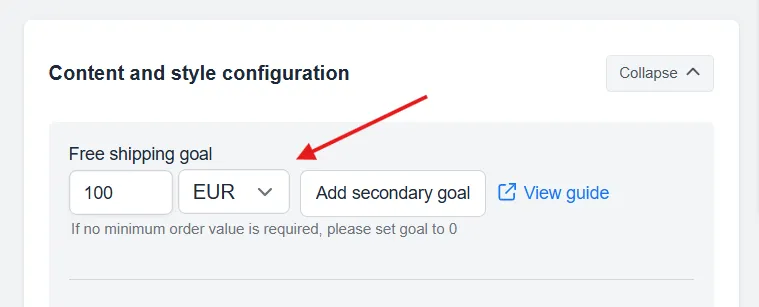
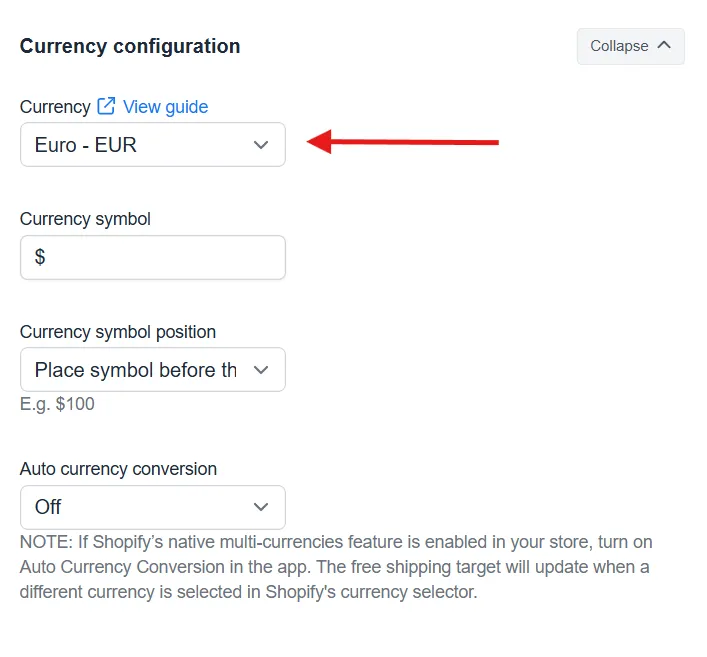
In the Currency Configuration section, you can edit the Currency, Currency Symbol, and the position of the Currency Symbol.
Auto Currency Conversion
If you are on the premium plan, you also have access to the Auto Currency Conversion feature.
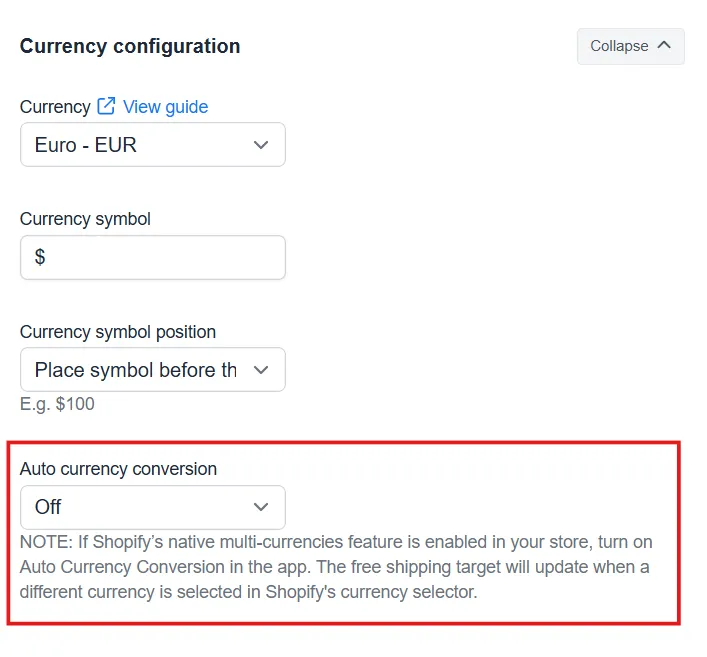
How does Auto Currency Conversion work?
Our Auto Currency Conversion feature works in a few different ways.
With Shopify Markets: The app automatically matches the market’s currency, updating the bar as customers switch currencies during shopping.
Without Shopify Markets: The system uses customer IP geolocation to identify their country and displays the goal in that region’s primary currency.
When to use Auto Currency Conversion
If the free shipping goal is the same in all countries that you are displaying the bar, currency conversion is the tool to use. However, when different regions require distinct goals, creating separate bars for each market provides better control. For example, $45 CAD for Canada versus $35 USD for the US would warrant two distinct bars.
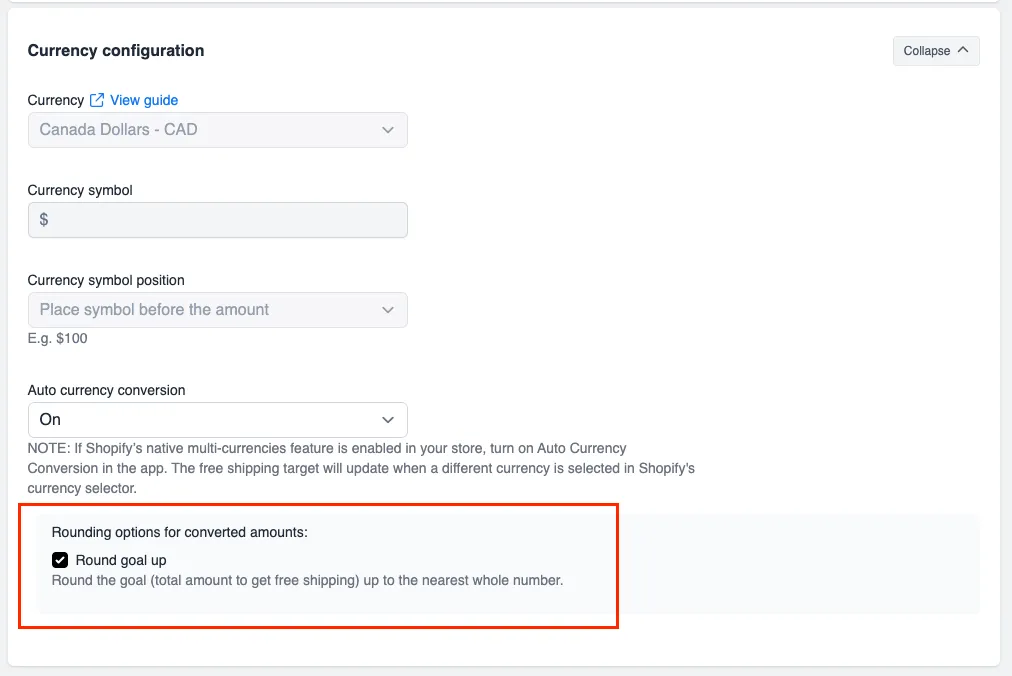
Rounding options for converted amounts
Use this option to round the free shipping goal up to the nearest whole number. For example, if the original goal converts to €100.01, enabling Round goal up will display it as €101.