
FAQs
How do I cancel my plan/subscription?
To cancel your subscription, simply uninstall the app or switch to a free plan. Once completed, you will no longer be charged.
Uninstall
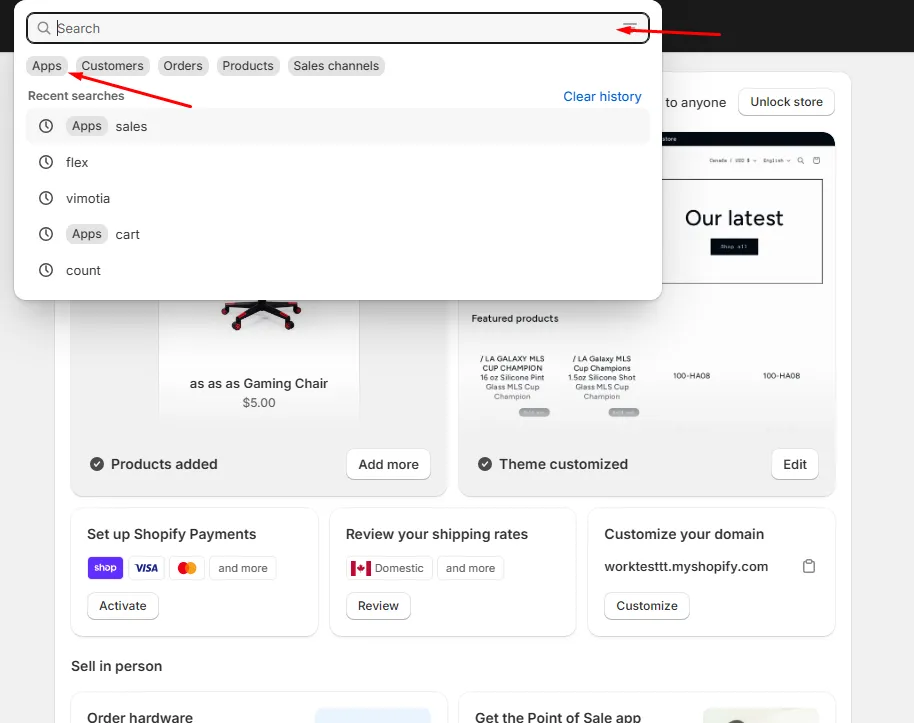
Go to the App by Clicking your “Search”
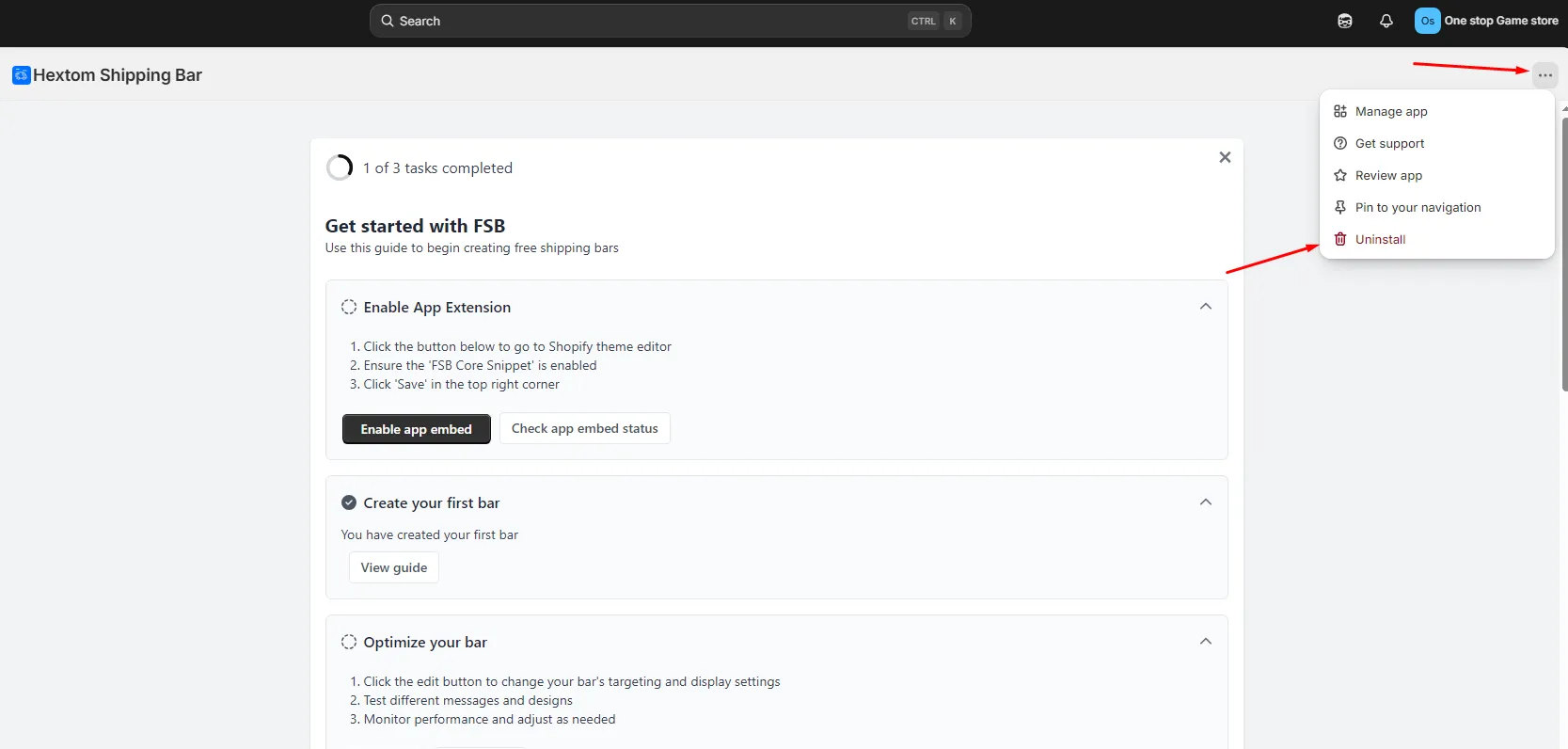
Once here, you just need to click the 3 dotted icon on the top right and click “Uninstall”.
Switching to Free plan
Alternatively, you can also switch to a free plan if you wish.
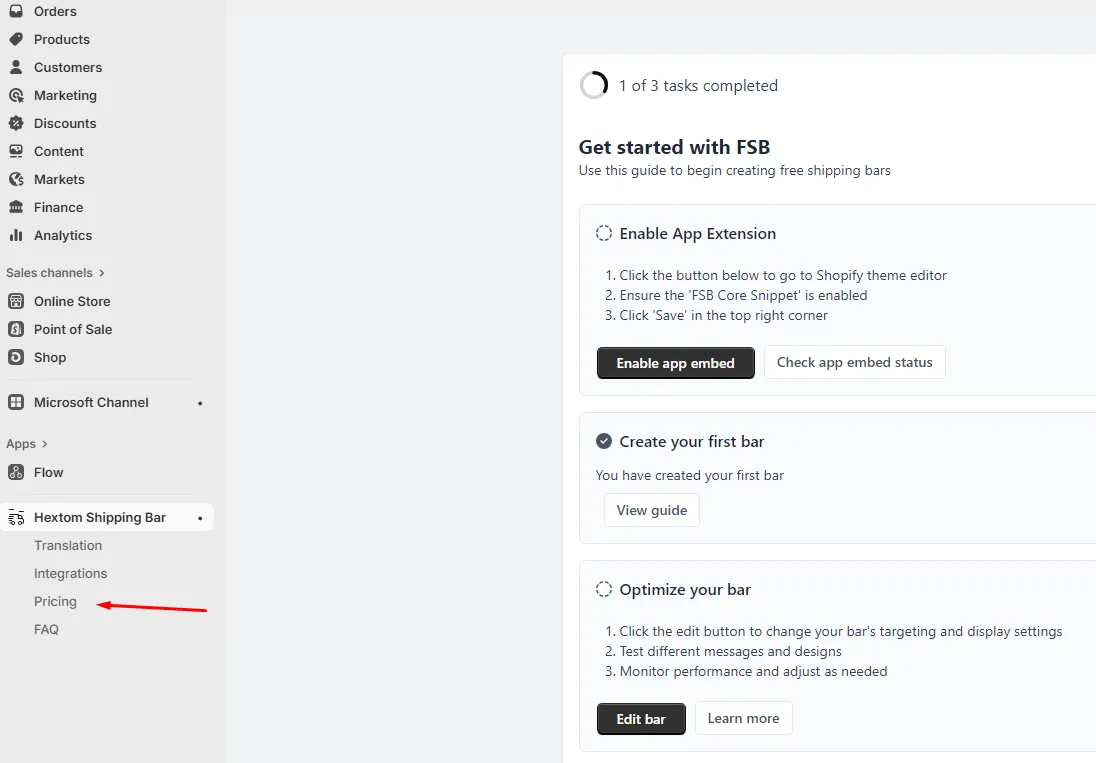
From our app, Simply go to “Pricing”
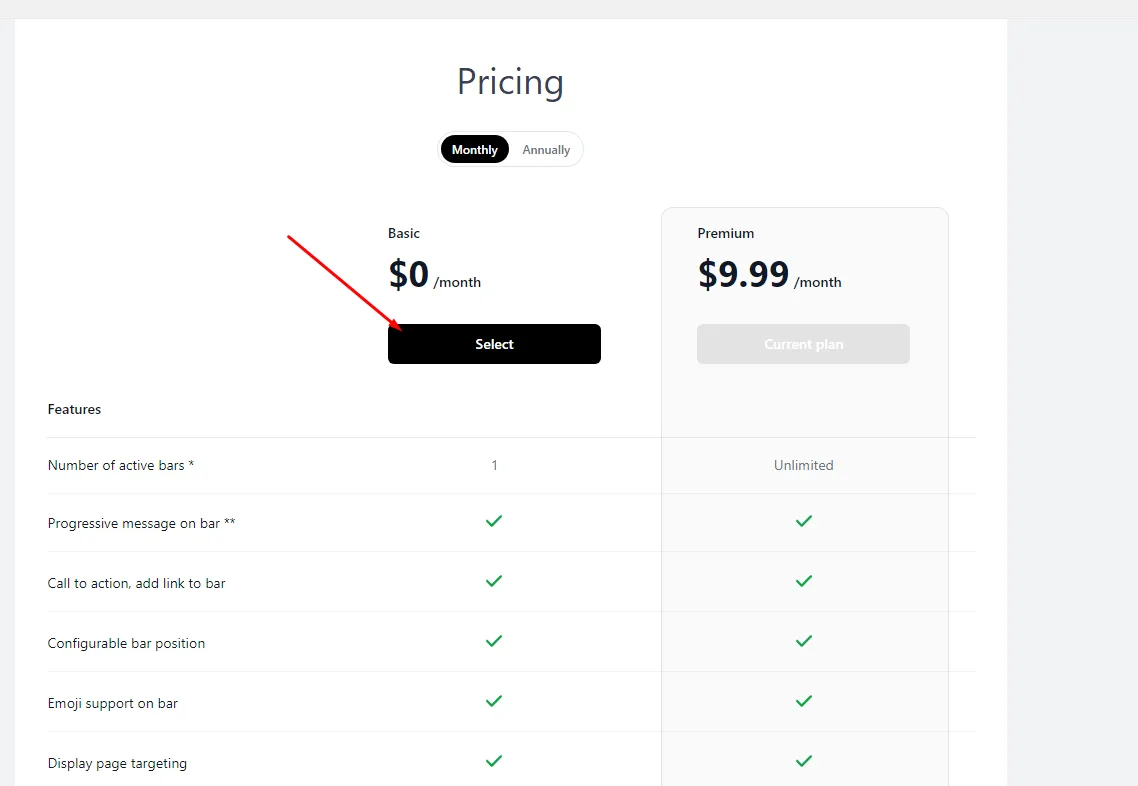
Once here, Simply select the “Basic” plan
Simply confirm and you should be good!
Please feel free to reach out at help@hextom.com if you have any further questions or concerns.
Was this article helpful?
Your feedback helps us improve our docs.
Thanks for the feedback!