
FAQs
How to enable theme app embed for Free Shipping Bar?
Enabling the Free Shipping Bar app embed on your Shopify Online Store 2.0 theme is highly recommended. Here’s why:
- The bar will load much quicker on your store.
- Required if you want to display the bar only for specific products or customers.
How to Enable App Embed
Follow these steps to enable the FSB Core Snippet in your theme:
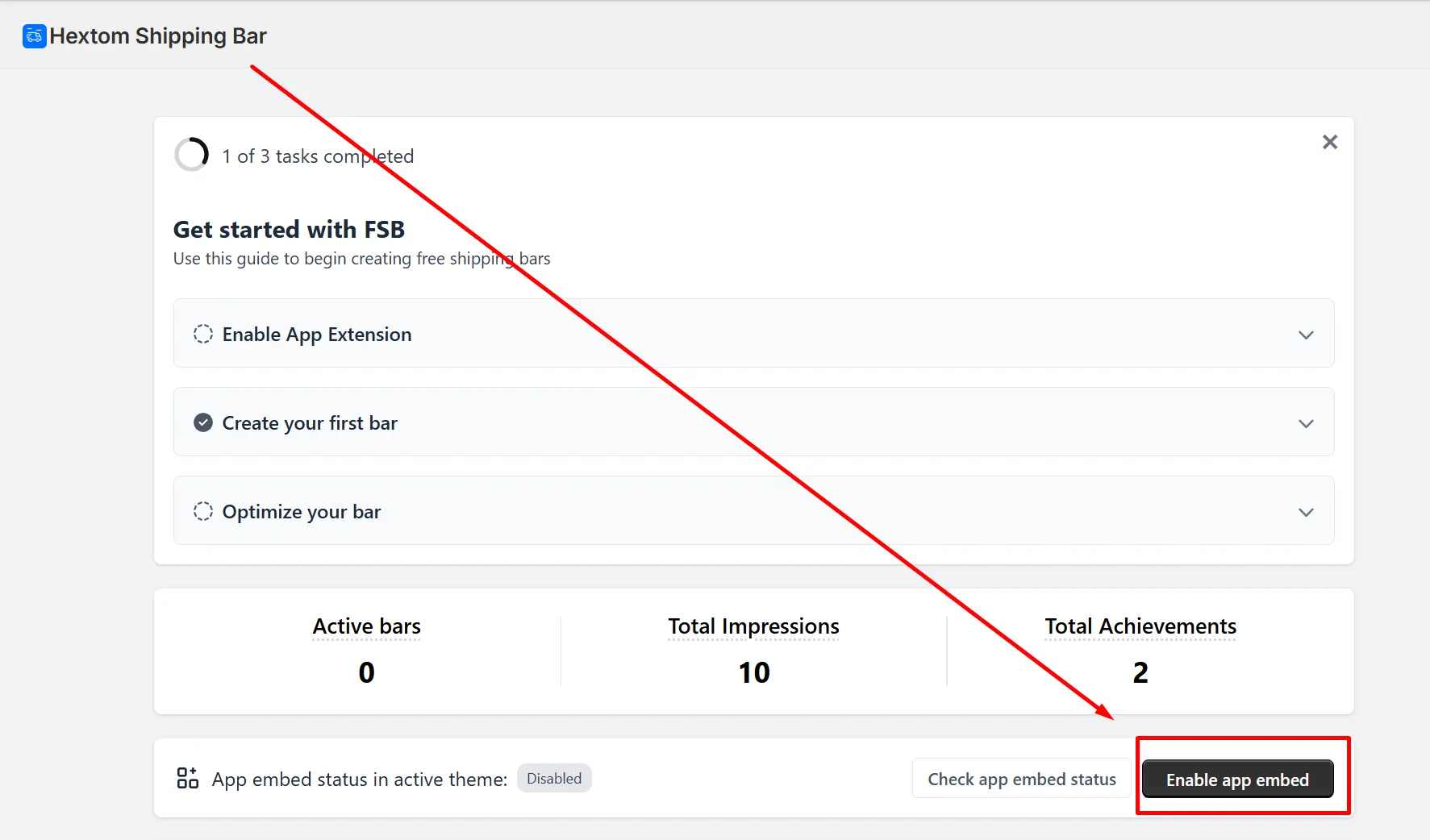
- In the app dashboard, click the Enable app embed button.
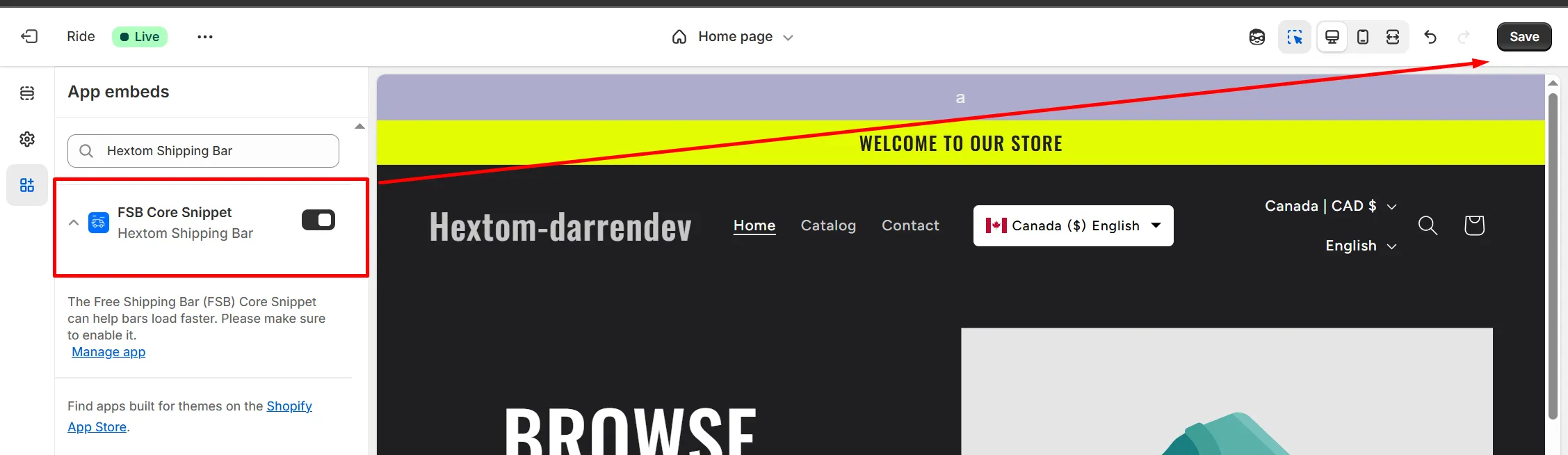
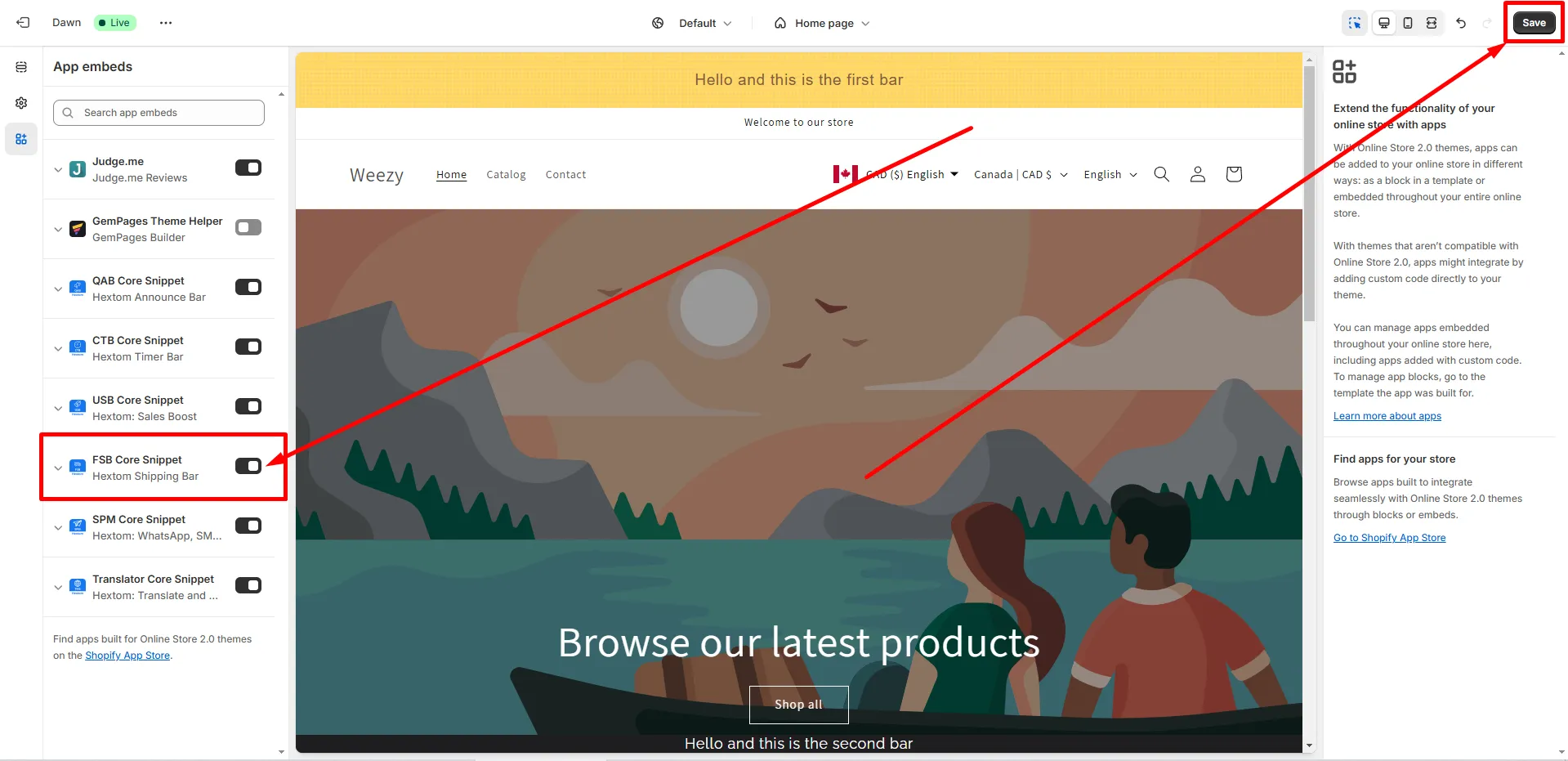
You will then be redirected to your theme customizer, and the FSB Core Snippet will be enabled. Click the Save button to save the changes.
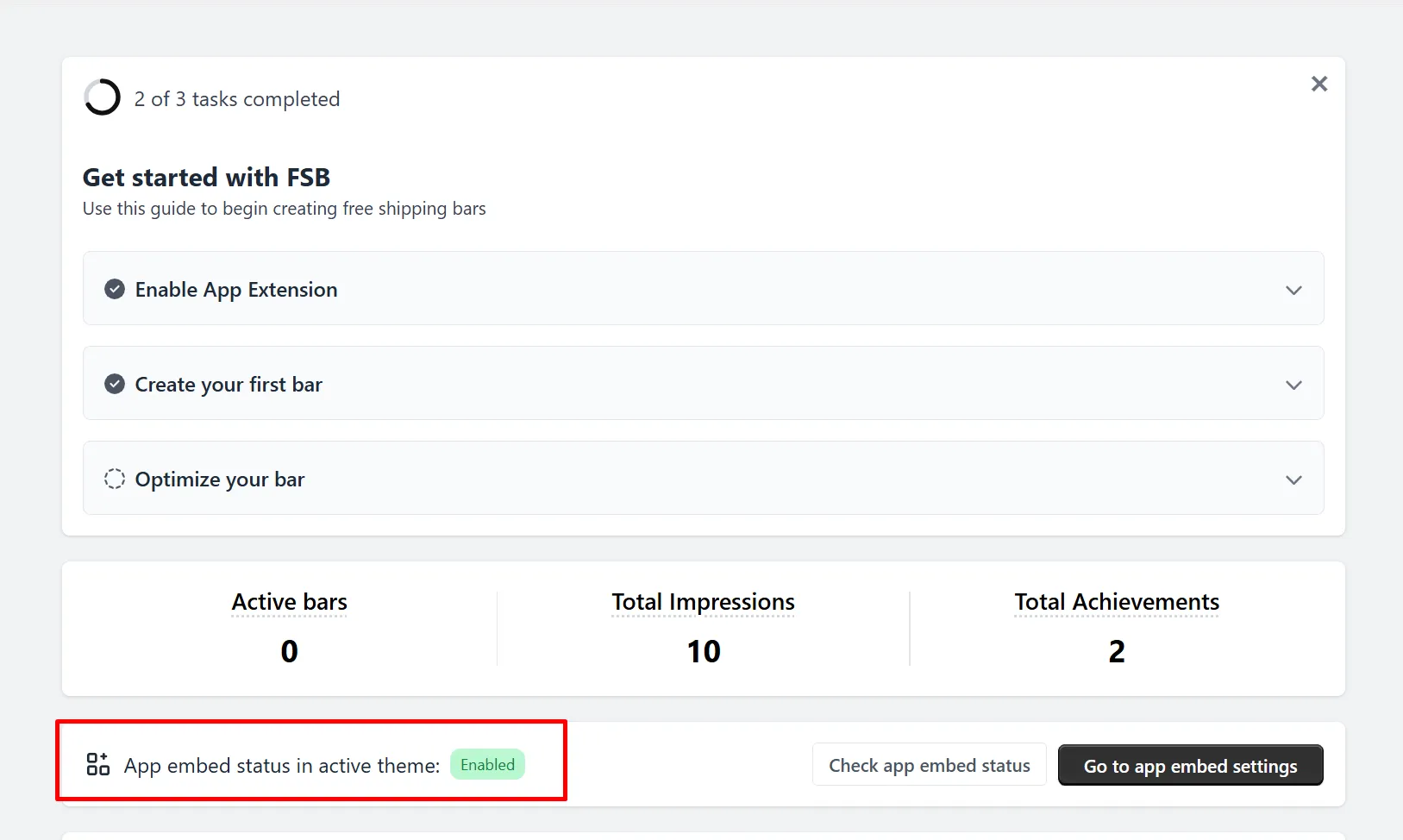
After saving, the app embed will be active on your theme, which you can confirm in our app dashboard.
Manually Enabling the App Embed
In some scenarios, you may want to enable the FSB Core Snippet manually on your theme. You can use the following steps to do so:
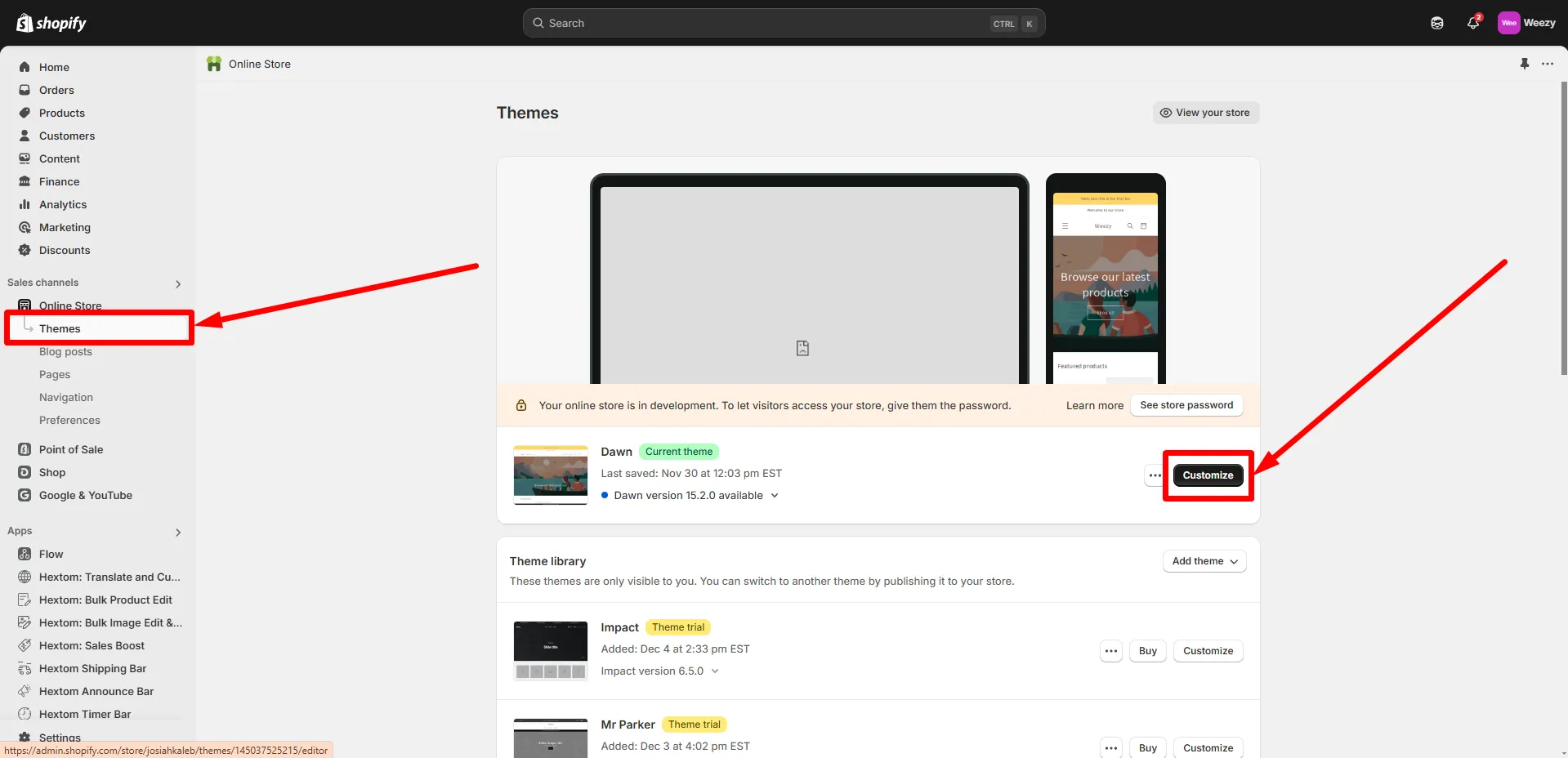
- In your Shopify admin, go to Online Store > Themes, then click Customize on your active theme.
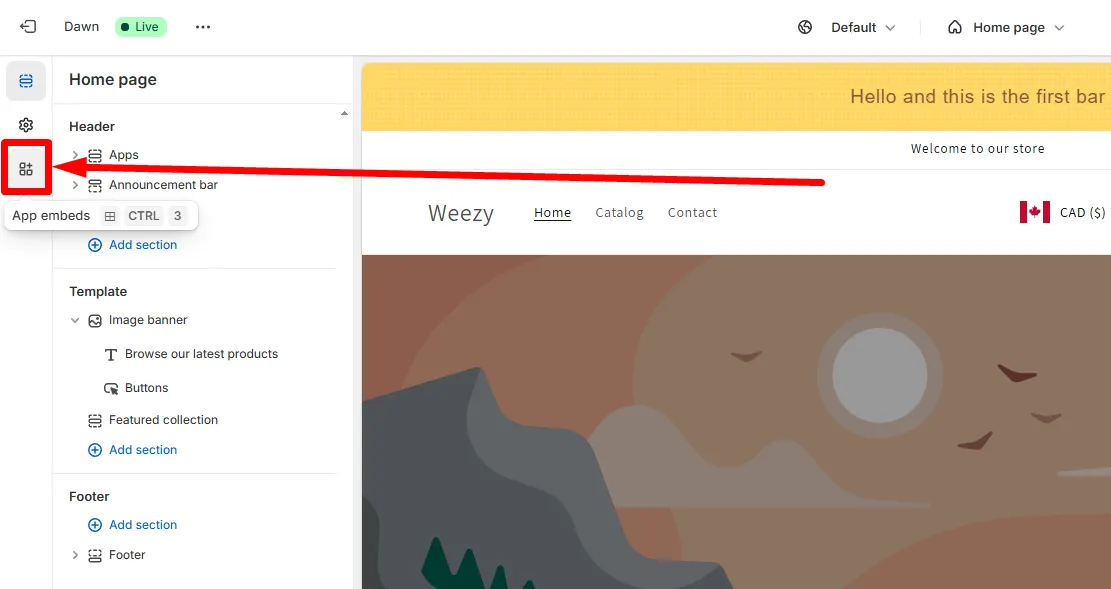
- Select App embeds in the left sidebar.
- Toggle the FSB Core Snippet to enable it, and click the Save button.
Need Help?
If you have any questions or need further assistance, please don’t hesitate to contact us at help@hextom.com.
Was this article helpful?
Your feedback helps us improve our docs.
Thanks for the feedback!