
Features
Second shipping goal
The secondary goal option in the Free Shipping Bar app is used for scenarios where you want to offer your customer two different shipping bonuses.
Example:
- If your customers buy $50 worth of products, they get free shipping
- If your customers buy $100 worth of products, they get free express shipping
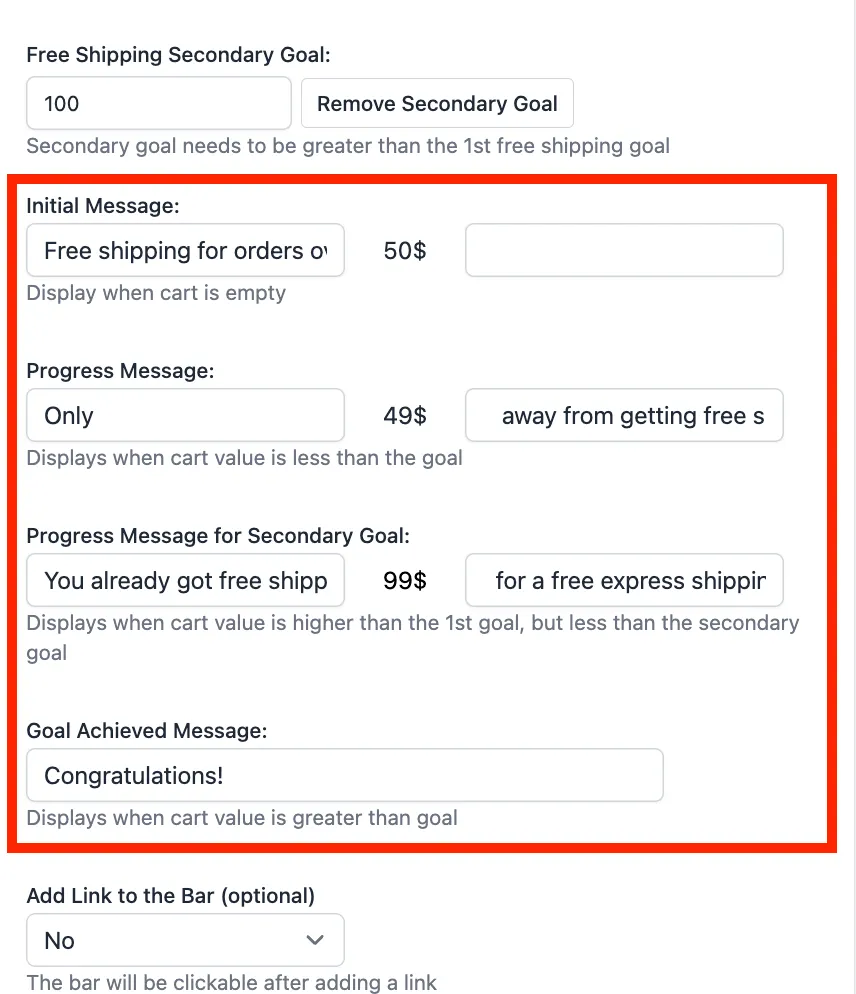
The Free Shipping Bar will then have 4 messages instead of 3:
- Message when the cart is empty
- Message with items in the cart - before reaching 1st goal
- Message after achieving 1st goal, before reaching 2nd goal
- Message after both goals are reached
To get started:
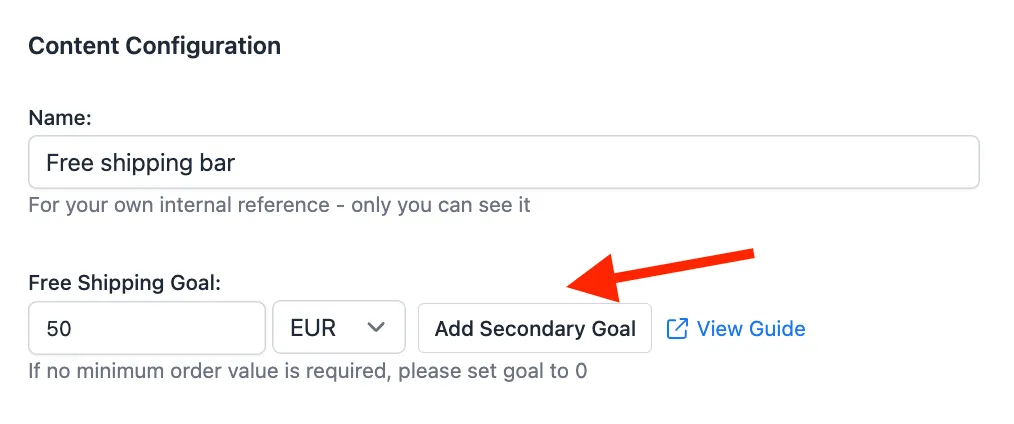
- Click on Add Secondary Goal.
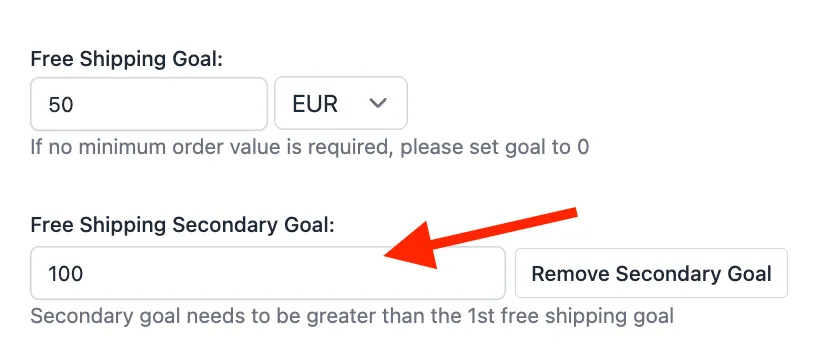
- Enter the amount that customers need to spend to get the second perk. The secondary goal needs to be greater than the 1st free shipping goal.
- Add a message to display between achieving the first goal and the second goal.
- Save the bar and test in your store.

Here is a video tutorial that shows how to set up a secondary goal.
Was this article helpful?
Your feedback helps us improve our docs.
Thanks for the feedback!