
Features
Targeting: Shopify Markets
The Shopify Market Targeting is based on the selected market in Shopify. The market is typically configured automatically based on the customer’s location. However, users can manually change it using a region or currency selector on your storefront, like this:

- This targeting method shows the targeted bar to customers who belong to the selected Shopify market, regardless where they are visiting from.
- For example, if the Canadian market is selected, any bar targeted to the Canadian market will be displayed to users within that market.
Setting up Shopify Market targeting
By default, the bar is set to display in all markets.
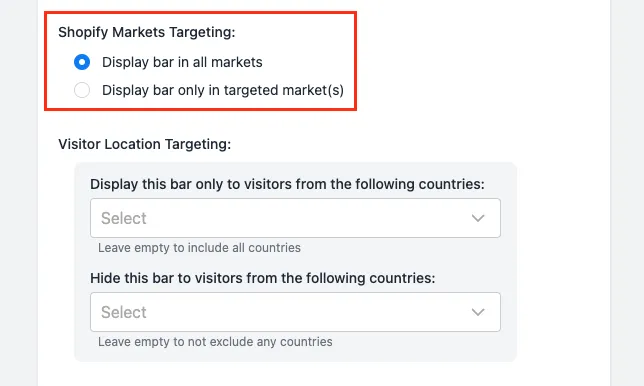
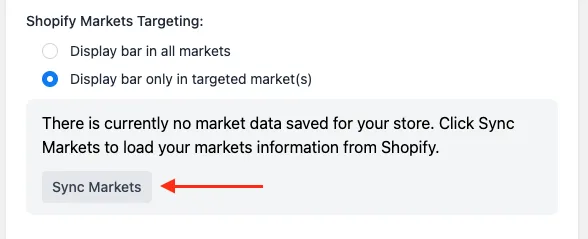
- When you choose to target specific markets for the first time, you will be notified that the app has no market data for your shop. To sync your market data, simply click on the Sync Markets button:
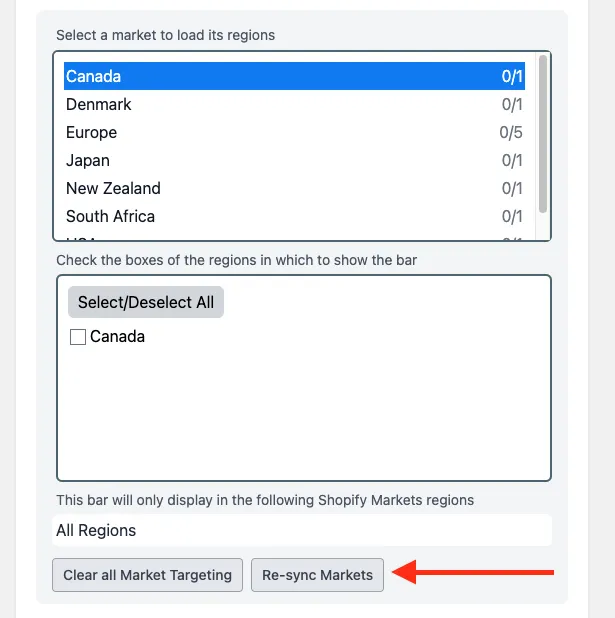
- Once synced, you will see a list of the markets in your shop, along with each country in the currently selected market:
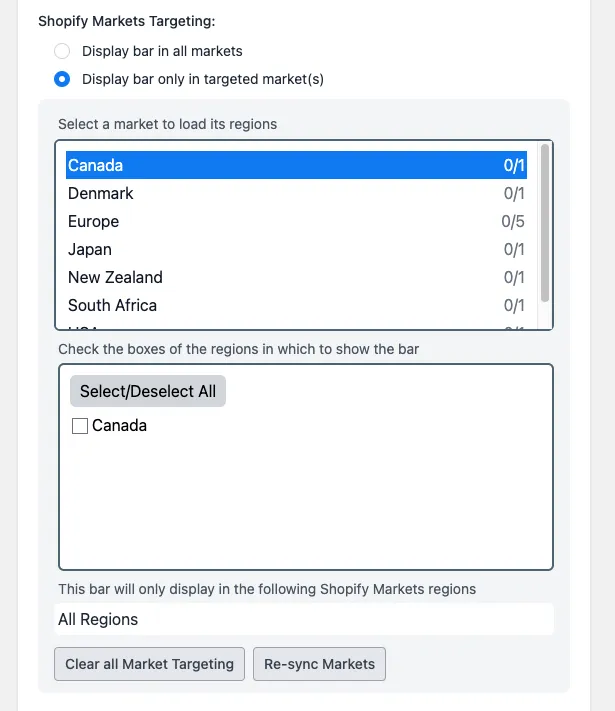

- From here, click on a market to load its countries, then select which countries you would like to target with the bar, and save the changes.
If you have any questions or concerns, you can reach us at help@hextom.com
Was this article helpful?
Your feedback helps us improve our docs.
Thanks for the feedback!